How to Understand Critical Path in Gantt Charts in 5 Simple Steps
Master the gantt chart critical path in 5 simple steps to shorten project timelines and eliminate scheduling bottlenecks.
How to Understand Critical Path in Gantt Charts in 5 Simple Steps
Why the Gantt Chart Critical Path Is the Key to Every Project Deadline
Understanding the Gantt chart critical path is one of the most practical skills any project manager or homeowner can develop. In simple terms, the critical path is the longest sequence of dependent tasks in your project — and if any one of those tasks slips, your entire finish date moves with it.
Here is a quick answer to what it means and why it matters:
What is the critical path in a Gantt chart?
- It is the longest chain of dependent tasks that runs from project start to project finish
- Every task on it has zero slack — meaning there is no buffer time to absorb delays
- Any delay on the critical path = a delay to the whole project, by the exact same amount
- Non-critical tasks have slack — they can slip a little without pushing the end date
- It is usually highlighted in red in project management software for easy identification
More than 75% of business and IT executives already expect their projects to run into trouble before they even begin — and poor scheduling visibility is one of the biggest reasons why. Whether you are managing a home renovation, a product launch, or a construction build, not knowing which tasks are truly critical is like driving without a map.
Gantt charts give you the visual timeline. The critical path tells you exactly where to focus your attention. Together, they are among the most powerful scheduling tools available — and have been since the Critical Path Method was first developed back in 1957.
This guide walks you through everything in five clear steps, so you can identify, visualize, and act on your critical path with confidence.
Related content about gantt chart critical path:
- project management tools
- contractor management software
- Home renovation budget tracker
What is a Gantt Chart Critical Path and Why Does It Matter?
To grasp why the gantt chart critical path is so vital, we first need to look at what happens when schedules fail. Projects rarely fall behind because of one massive, catastrophic mistake. Instead, they fall apart because of a dozen small, unnoticed delays. A permit takes three days longer than expected, a material delivery is pushed back by 48 hours, or a subcontractor is delayed by a day.
Without a clear critical path, you cannot tell which of these minor delays will quietly push back your entire completion date, and which ones are harmless.
The critical path is the sequence of dependent tasks that directly dictates the minimum duration of your project. If you want to know the absolute earliest date your project can finish, you must find the critical path. Every task on this path is a "critical task." If a critical task is delayed by even a single day, the entire project end date is delayed by a day.
By combining the Critical Path Method (CPM) with a Gantt chart, you get a powerful visual representation of your timeline. While the traditional CPM relies on complex mathematical network diagrams, a Gantt chart translates those calculations into easy-to-read horizontal bars. This visual scheduling makes it immediately obvious which tasks are keeping you on track and which ones have some breathing room.
| Feature | Gantt Chart | Critical Path Analysis (CPA) |
|---|---|---|
| Primary Visual Component | Horizontal bar chart mapped across a calendar timeline. | Network diagram showing nodes and sequential arrows. |
| Core Purpose | Displays start dates, end dates, and overall timeline progress. | Calculates the absolute minimum project duration and identifies zero-slack tasks. |
| Timeline Flexibility | Highly flexible; easy to drag, drop, and adjust task durations visually. | Mathematical; relies on forward and backward pass formulas to determine float. |
| Best Used For | Daily progress tracking, team communication, and resource scheduling. | Identifying structural bottlenecks and prioritizing task sequences. |
The Core Difference: Gantt Chart vs. Critical Path Analysis
It is common to hear people use "Gantt chart" and "critical path analysis" interchangeably, but they are actually distinct tools that work better together.
A Gantt chart is a timeline view of your project. Invented by Henry Gantt in the early 20th century, it is divided into a spreadsheet on the left (listing tasks, dates, and assignees) and a bar chart on the right (reflecting those tasks as horizontal blocks over time). It is excellent for showing when work is scheduled to happen.
On the other hand, a critical path analysis is a mathematical method. It maps out the logical, sequential relationships between tasks to find the longest chain. Historically, CPA was represented as a network diagram—a web of boxes and arrows that could look incredibly intimidating to anyone without an engineering degree.
When you overlay the critical path onto a Gantt chart, you get the best of both worlds. You get the visual scheduling clarity of the Gantt chart alongside the structural rigor of critical path analysis. Modern project management software does this automatically, highlighting the critical task sequence in bright red right on your timeline.
How Task Dependencies, Slack, and Milestones Shape the Timeline
To understand how the critical path behaves, we have to look at the building blocks of any project timeline: dependencies, slack, and milestones.
Task dependencies are the logical relationships between activities. They dictate the order in which work must be performed. In construction and home improvement, these rules are often absolute. For example, you cannot pour a concrete foundation until you have excavated the dirt, and you cannot hang drywall until the electrical rough-ins are complete.
There are four primary types of task dependencies:
- Finish-to-Start (FS): Task B cannot start until Task A finishes. This is the most common dependency. For instance, you must finish demolition before you can start framing.
- Start-to-Start (SS): Task B can start as soon as Task A starts. They can run in parallel.
- Finish-to-Finish (FF): Task B cannot finish until Task A finishes.
- Start-to-Finish (SF): Task B cannot finish until Task A starts. This is rarely used in standard construction planning.
When dependencies are linked correctly, they create a chain. If one link in that chain moves, the rest move with it.
Understanding Slack and Float in a Gantt Chart Critical Path
Not every task in your project is tightly bound to the next. This is where the concepts of slack time and float come into play. (In project management, "slack" and "float" mean the exact same thing).
Slack is the amount of time a task can be delayed without delaying the subsequent task (free float) or the entire project's completion date (total float).
- Critical tasks have zero slack. Because they are on the longest sequence of dependent tasks, any delay immediately pushes the project end date.
- Non-critical tasks have positive slack. If painting a spare bedroom is scheduled for five days but only takes three, or if it can be done anytime within a two-week window, that task has slack. It can start late or take longer without hurting the final deadline.
Managing this buffer is the secret to stress-free project management. By identifying which tasks have slack, you gain scheduling flexibility. If your drywall installer is running late, but drywall is on the critical path, you know you must focus your energy on resolving that bottleneck. Meanwhile, if the delivery of your non-critical decorative light fixtures is delayed by three days, you can relax because you know those fixtures have plenty of slack and won't delay the final walkthrough.
Milestones are the final piece of the puzzle. These are zero-duration markers that represent major achievements in the project, such as "Permits Approved," "Drywall Complete," or "Final Inspection Passed." They help you break a long timeline into manageable phases and provide clear checkpoints to measure your progress against the critical path.
How to Identify and Calculate the Critical Path in 5 Simple Steps
While modern software can calculate your critical path in a fraction of a second, understanding the manual steps behind the calculation will make you a far better planner. It demystifies the red lines on your screen and helps you spot errors in your logic.
Historically, project managers calculated the critical path using a "forward pass" (to find the earliest start and finish dates for each task) and a "backward pass" (to find the latest start and finish dates). The difference between these dates revealed the slack. If the slack was zero, the task was critical.
Here is how to build and calculate a reliable timeline in five simple steps.
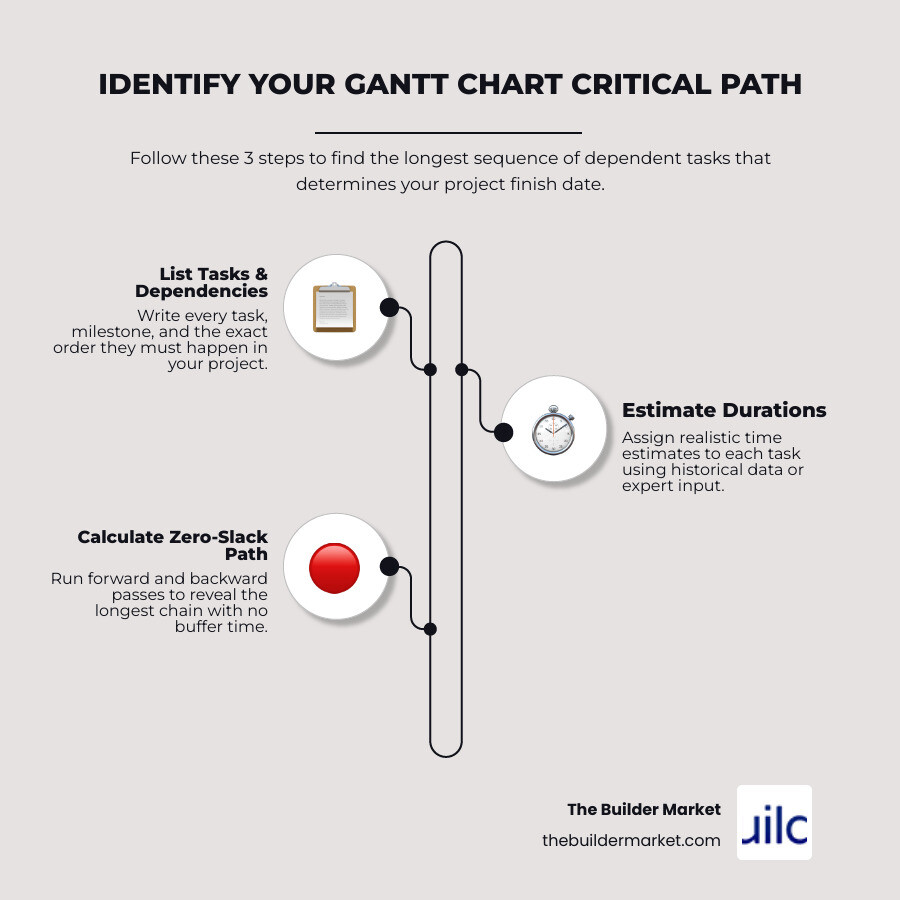
Step 1: List All Project Tasks and Milestones
Every successful schedule starts with a comprehensive Work Breakdown Structure (WBS). This is simply a hierarchical list of every single task required to complete the project.
Start by defining the overall scope. If you are remodeling a bathroom, don't just write "remodel bathroom." Break it down into specific, actionable steps:
- Obtain permits
- Order vanity and tile
- Demolition
- Rough-in plumbing
- Electrical wiring
- Hang drywall
- Paint walls
- Install tile and grout
- Set vanity and plumbing fixtures
- Final inspection
Ensure you include key milestones as zero-day markers to keep your team aligned on major phases.
Step 2: Define Task Dependencies
Once you have your task list, you need to determine the relationships between them. Ask yourself two questions for every task:
- Which tasks must be completed before this task can begin? (Predecessors)
- Which tasks cannot start until this task is finished? (Successors)
For example, "demolition" is a predecessor to "rough-in plumbing." "Order vanity and tile" can run parallel to "obtain permits" because they do not depend on each other, but "install tile" cannot start until the vanity and tile have arrived and the drywall is hung.
Linking these dependencies accurately is crucial. If you miss a dependency, your software will assume the tasks can happen at the same time, which will break your critical path calculation.
Step 3: Estimate Task Durations
Next, assign a realistic duration to each task. To keep things simple and accurate, use consistent time units (usually working days).
When estimating, rely on historical data, consult with your contractors, or use professional standards. Be realistic rather than optimistic. If a typical drywall installation and finishing process takes five days, do not write down three days hoping for a miracle.
It is also important to account for material lead times. If custom cabinets take eight weeks to build and ship, that lead time must be factored into your schedule as a task duration.
Step 4: Calculate Slack and Identify the Gantt Chart Critical Path
With your tasks, dependencies, and durations in place, you can now calculate the paths through your project. A "path" is any continuous sequence of dependent tasks from the start of the project to the end.
Let us look at a simple example with two parallel paths:
- Path A: Obtain Permits (5 days) -> Rough-in Plumbing (4 days) -> Drywall (5 days) = 14 days total
- Path B: Order Custom Vanity (10 days) -> Install Vanity (2 days) = 12 days total
In this scenario, Path A takes 14 days, while Path B takes 12 days.
- The critical path is Path A because it is the longest sequence (14 days).
- The tasks on Path A (Permits, Plumbing, Drywall) have zero slack. Any delay here pushes the project end date out past day 14.
- Path B has 2 days of slack (14 - 12 = 2). This means your custom vanity can take up to 12 days to arrive instead of 10, and it still won't delay the overall project completion.
Step 5: Enable Critical Path Visualization in Your Software
Now that you understand the logic, you can let your project management software do the heavy lifting. Modern digital tools can dynamically recalculate your critical path every time a task duration or dependency changes.
To enable this feature in most standard Gantt chart applications:
- Enter your task list, start dates, durations, and predecessors.
- Ensure all tasks are properly linked with dependencies.
- Open the chart's Settings or Visibility menu (often represented by a cogwheel or a layout icon).
- Look for an option labeled "Show Critical Path" or "Critical Tasks" and toggle it on.
- Your critical path tasks and their linking arrows will instantly turn red, while non-critical tasks will remain in their default color (usually blue or green).
How to Shorten and Optimize Your Project Timeline
What happens when your critical path calculation reveals that your project will finish three weeks past your hard deadline? As a project manager, you cannot simply wish the delay away. You must optimize the schedule.
To shorten your overall project duration, you must focus only on the critical path. Shortening a non-critical task does absolutely nothing for your end date—it just increases that task's slack.
To bring your deadline forward, use these proven timeline optimization techniques:
- Fast-Tracking: This involves taking tasks that were originally scheduled sequentially and running them in parallel. For example, instead of waiting for your entire home’s rough-in plumbing to finish before starting electrical work, you might have the electrician start on the second floor while the plumber finishes up the first floor. This introduces risk, as mistakes in one task could force you to redo work in the other, but it is highly effective at compressing timelines.
- Project Crashing: This means adding more resources to critical tasks to get them done faster. You might hire a second crew of painters or pay for expedited shipping on your flooring materials. Because crashing increases your budget, you should only apply it to tasks on the critical path where the time savings are guaranteed.
- Overtime Scheduling: Having your existing crew work extended hours or weekends can pull a schedule back on track, though it must be managed carefully to avoid worker fatigue and safety issues.
- Revising Dependencies: Sometimes, dependencies are "discretionary" rather than physical. You might prefer to paint after the floors are installed to avoid drips, but you can paint first if it saves critical path time.
Common Mistakes to Avoid When Managing the Critical Path
When optimizing and managing your timeline, keep an eye out for these frequent pitfalls:
- Ignoring Resource Constraints: Classic Critical Path Method assumes you have unlimited workers. In the real world, if your plumber is also your tiler, they cannot do both tasks at the same time, even if the schedule says they are parallel. Always perform resource leveling to make sure your people aren't double-booked.
- Treating the Plan as Static: A project schedule is a living document. As tasks are completed early or run late, the critical path will shift. A non-critical task that experiences a major delay can easily eat up all its slack and become part of a new critical path. Review your timeline weekly.
- Overestimating Buffers: Padding every single task with extra days "just in case" dilutes the accuracy of your critical path. It is much better to use realistic, deterministic durations for individual tasks and add a single, transparent contingency buffer at the end of major phases.
- Neglecting Non-Critical Tasks: Just because a task has slack does not mean you can ignore it. If left unmonitored, a delayed non-critical task can quickly turn critical and derail your entire project.
Real-World Application: Planning a Home Renovation Timeline
Let us put these concepts into practice with a real-world scenario. Imagine we are planning a comprehensive kitchen and bathroom renovation scheduled to begin in June 2026.
Without a clear critical path, a homeowner might start by gutting the kitchen on day one. But let us look at how material lead times and permit approvals shape the actual timeline.
In home remodeling, some of the longest durations are completely invisible. They are not the physical labor, but the administrative and manufacturing lead times:
- Permit approvals: Often take 2 to 10+ weeks depending on your local building office.
- Custom cabinet fabrication: Typically takes 6 to 12 weeks.
- Specialty tile and appliances: Can take 4 to 10 weeks to ship.
If you demolish your kitchen before your permits are approved or before your cabinets are shipped, you run the risk of living in a dusty construction zone for months with no progress.
By building our schedule backward from our target completion date in late August 2026, we can map out the true critical path:
- Phase 1 (Pre-construction): Finalize design designs and submit permit applications. (Critical Path starts here).
- Phase 2 (Procurement): Order custom cabinets and appliances. Because custom cabinets have an 8-week lead time, this task is highly critical.
- Phase 3 (Demolition): Scheduled only after permits are in hand and cabinet delivery is confirmed.
- Phase 4 (Rough-ins): Plumbing and electrical work must pass local inspections before we can close up the walls.
- Phase 5 (Finishes): Drywall, paint, cabinet installation, countertop templating, and final plumbing trim.
By applying a 20% to 30% contingency buffer to each phase, we protect our end date from unexpected surprises. If a plumbing inspection fails and requires a two-day delay, we know exactly how to adjust our downstream tasks because we can see the critical path clearly on our Gantt chart.
Frequently Asked Questions about Gantt Chart Critical Paths
What happens if a task on the critical path is delayed?
If a task on the critical path is delayed by a specific number of days, the overall project completion date will be delayed by that exact same number of days. This is because critical path tasks have zero slack. To prevent this delay from cascading, you must immediately find ways to compress or "crash" subsequent tasks on the critical path to make up for the lost time.
Can a project have multiple critical paths?
Yes. If a project has two or more parallel sequences of dependent tasks that take the exact same amount of time to complete, you will have multiple critical paths. While this is common in complex commercial construction, it increases project risk because you now have twice as many tasks that must be completed perfectly on time to avoid delaying the final deadline.
How does resource leveling affect the critical path?
Resource leveling is the process of resolving scheduling conflicts where a single resource (like a specific subcontractor or piece of equipment) is scheduled to work on multiple parallel tasks at the same time. When you adjust the schedule to resolve these conflicts, tasks are often pushed sequentially. This frequently extends the overall project duration and can cause the critical path to shift to a completely different sequence of tasks.
Conclusion
Managing a home improvement or renovation project can feel like a constant juggle of moving parts. But once you master the Gantt chart critical path, you gain complete control over your timeline. You will know exactly which tasks require your daily attention, when to order materials to avoid costly delays, and how to adapt when unexpected challenges arise.
At The Builder Market, we believe that successful projects are built on clear planning and trusted partnerships. Our AI-powered online marketplace makes it easier than ever to bring your project plans to life. We connect homeowners across the country with vetted, local professionals who understand how to deliver projects on time and on budget.
Whether you are mapping out a major structural remodel or looking for expert guidance to kick off your design phase, we are here to help. Find professional architects and engineers in Litchfield Park to start planning your next project with absolute confidence.
Need Help?
Contact us today to discuss your needs. Our team is ready to help.
About the Author
The Builder Market
More Articles
View All PostsRelated Articles
Ready to grow with The Builder Market?
Explore listings, AI growth, sites, and lead options—or talk to our team about what fits your business.

